Sidekick 26: Engineering Reverse Engineering
With a new UI, specialist modes, and so much more, Sidekick 26 is an even smarter approach to reverse engineering.
It is designed to help you search any binary, understand what it does, and extract what matters. You ask a question and get an answer backed by evidence so you can quickly verify key points and move on.
There are other tools for applying AI to reverse engineering, but Sidekick is purpose-built for binary analysis. We’ve been testing it against other solutions and have seen great results. We’re looking forward to showcasing some of them in future blog posts! In the meantime, here’s just a summary of some of the Sidekick 26 changes.
What’s New
Sidekick 26.0 has been totally redesigned. While some previous UI elements will feel familiar, everything about how you use the product has been improved. This isn’t just a small iteration but is a major rewrite.
Agentic architecture
While we’ve made use of an agentic architecture in previous releases, Sidekick 26 goes further. One way is with new specialist modes targeted toward specific goals. Here are just some of them:
- Research: The research specialist doesn’t modify the database, for those who want to review first. It focuses on evidence-based reports and capable searching.
- Transform: The transform specialist is meant to go all-out marking up a database. Name all variables, reconstruct structs, identify and document obfuscation patterns, and more.
- Repair Analysis: The repair analysis specialist focuses on identifying issues with decompilation and resolving them to give you the cleanest possible output leveraging existing APIs and settings.
- Debugger: Built just for dynamic analysis, the debugger mode is perfect for when runtime analysis can help supplement Binary Ninja’s normal static analysis.
- Automation: You know Binary Ninja already has the best APIs for binary analysis, and the Automation mode is built to get the best results for you with them.
With the direct integration of skills, you can reuse existing playbooks for situations like “hunt for use-after-free” or “recover types in stripped Go binaries.”
Revamped UI
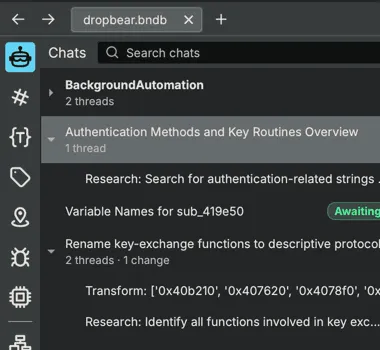
The inspectable chat tree means that conversations are hierarchical so you can see what’s happening with sub-agents.
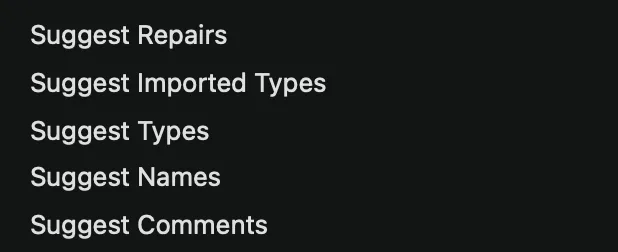
The suggest menu gives you on-demand options to update functions including updating signatures, automatically identifying indirect call targets, or adding names or comments.
Code Maps
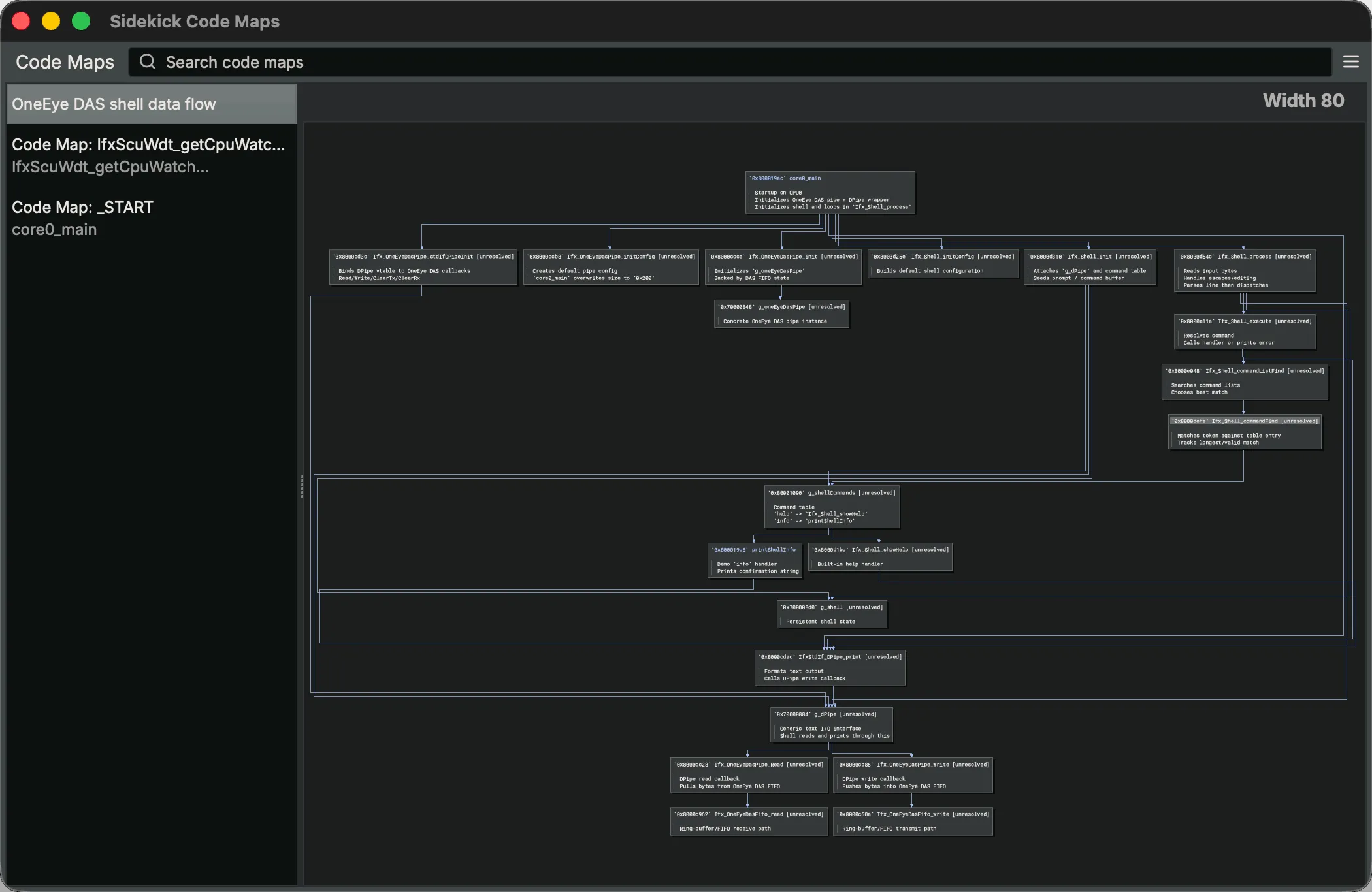
Another new UI feature is the Code Maps. Formerly the “Code Insight Map” pane in the main view, the code insight map sidebar can now be moved out into its own window that it lives in a sidebar. Code Maps are also stored in your workspace so you can have different maps for different tasks and they will be there when you come back.
Notebook
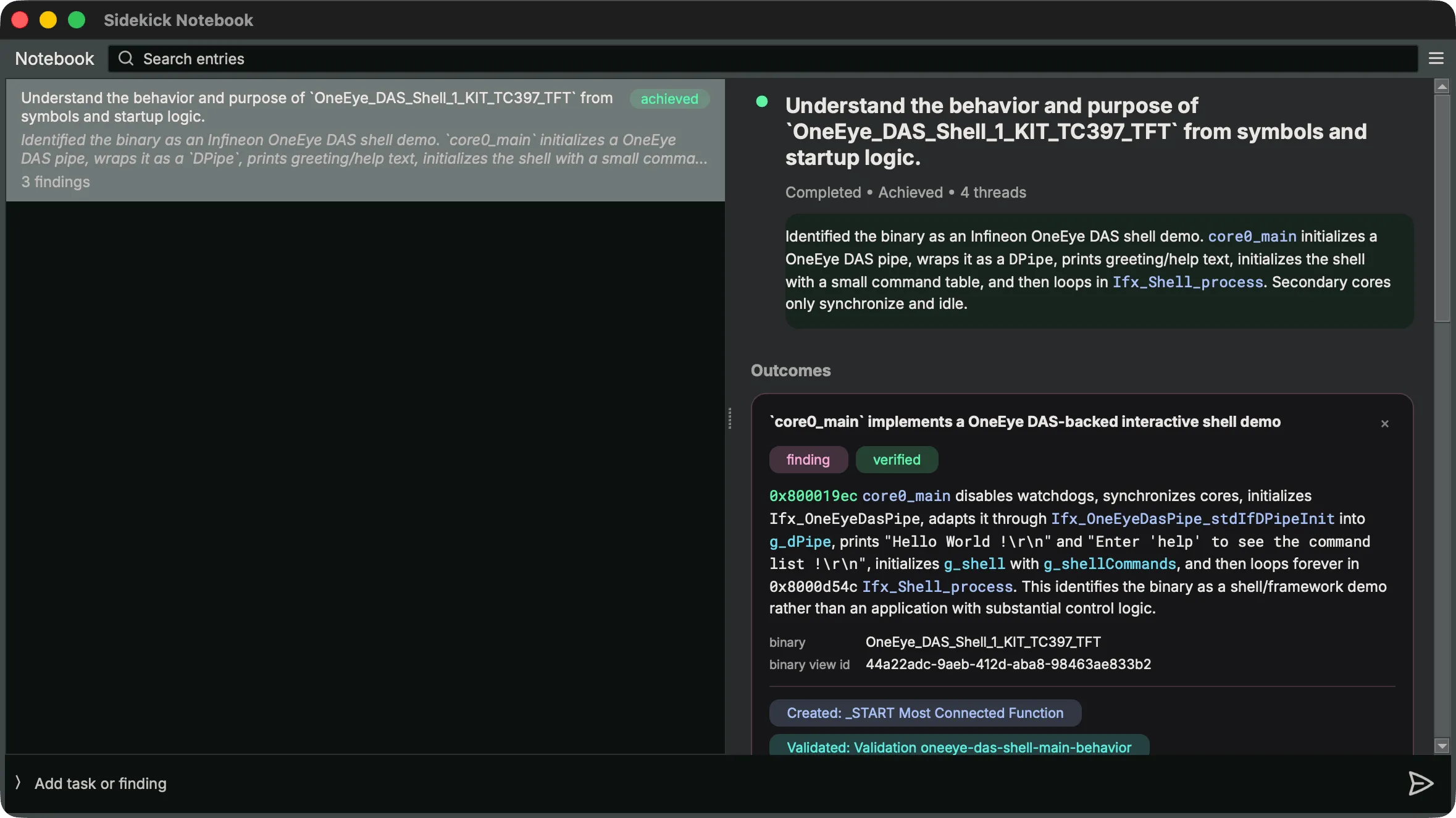
The Notebook is a central store of information including operational, research, and learning entries, but it links back to the important features of the binary for each. Being able to maintain a current knowledge set in a visible, editable format helps both you AND Sidekick understand what’s happening.
Sidekick API
We’ve not only given Sidekick new APIs that it can use for automation, but exposed even more of it for use by other models or users. Completion Pools let you use different cloud-based or even remote models for some tasks. This is further supported by pre-built model templates for the cloud Sidekick service, Ollama and vLLM for local models, and direct Anthropic and OpenAI access.
One of the biggest features in 26 is the new headless sidekick(). From standalone Python you can access the full workspace (chat, notebook, indexes, BNQL, etc). Check out our toolbox blog post for an example.
For example, quickly scan using BNQL, a much more token-efficient way to generate complex queries:
import sidekick.api as api
results = api.execute_bnql(bv, '/view/function[count(block) > 10]')
for item in results:
      print(api.render_object(item, "contents"))
Project support
We’ve extended Sidekick beyond a single binary so it can leverage Binary Ninja’s Projects (not available in Free or Non-Commercial Binary Ninja licenses) to work across multiple binaries. Now you’ll have unified chat, indexes, notebook, and semantic search across every binary in a project.
Sidekick can now leverage cross-binary BNQL to search across all open binaries without manual repetition or external tooling. Open your binaries, type a query into the Query Editor at the top of the Indexes sidebar, and a single /view/... query fans out across every one of them at once:
/view/function[@name ~= r"^IfxScu"]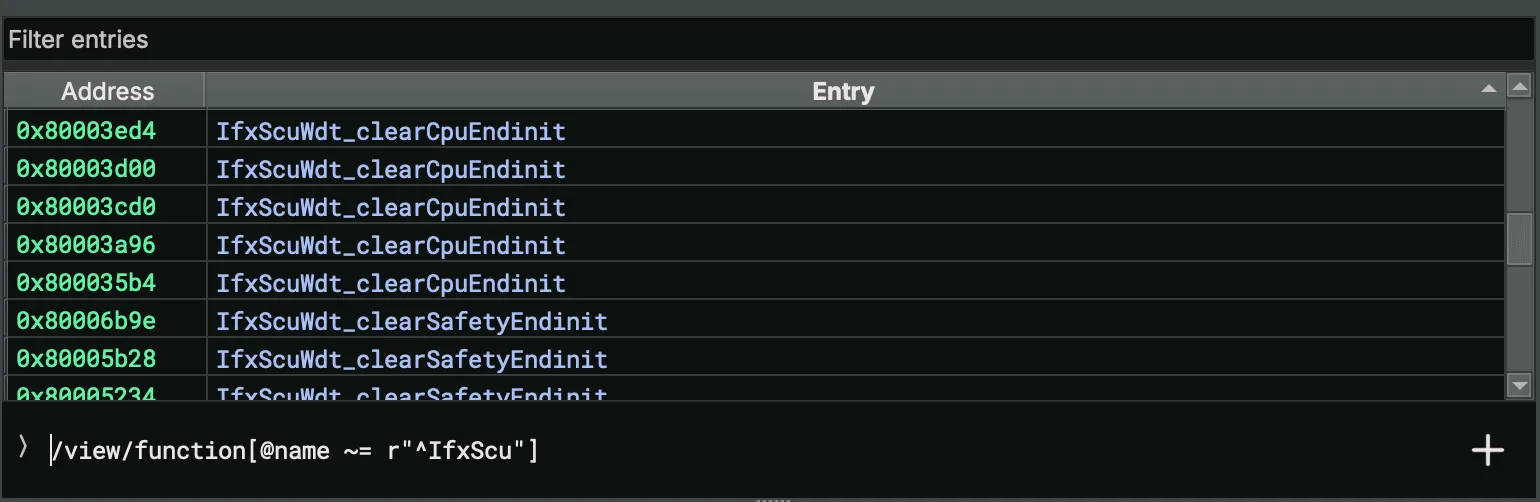
Other Notable Features
- Semantic search: local vector database; the
concept()operator works in BNQL, chat, and scripts. - MCP support: extend Sidekick with external tools via standard Model Context Protocol servers.
- Debugger specialist mode: breakpoint-driven runtime observation with resumable threads.
- Tool permissions: hierarchical tag-based controls scoped per-chat, per-workspace, or globally.
- Transaction log: every database change is a transaction, with per-step undo.
- Behavioral Model: persistent description of a binary’s behavior, carried across sessions and stored outside the BNDB.
- Indexes: Upgraded from the previous versions of Sidekick, indexes can now be BNQL, Script, or Manual scoped across a project with metadata as sortable columns.
What Customers Are Saying
We’ve already heard back from the first users testing Sidekick and the feedback has been overwhelmingly positive.
I wanna say congrats for Sidekick!!! When it was said that big changes were coming to it, I didn’t imagined they were THIS big! No idea what happened inside the dude’s brain, but he’s incredibly smarter now!
Let’s Go
Experience Sidekick. Try it for free. Try it on something ugly. Share your feedback. (We’d love to hear from you!)